
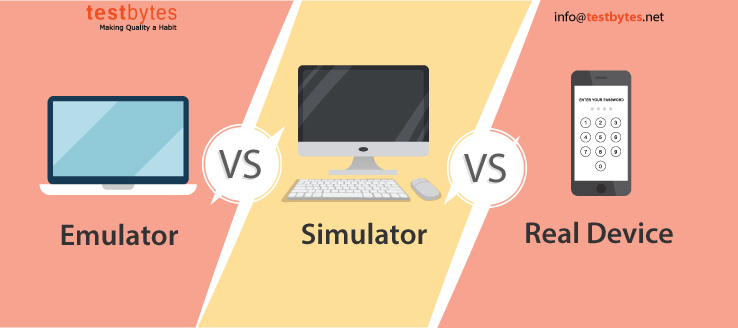
A few weeks ago, I was deep in a bug report that made absolutely no sense. Everything passed in the emulator. Every single test. But on a real Xiaomi device? Crash city. The culprit turned out to be some wild battery optimization setting that aggressively killed background processes. If you’ve worked in DevOps or QA for more than a week, you probably have your own version of this story. The emulator said it was fine. The user said otherwise. That is where the whole debate around real device testing versus emulators really starts to matter. Not in theory, but in practice. So let’s skip the vague comparisons and get into the actual mess, the real problems that real teams deal with, and where tools like LambdaTest actually step in to help when the gaps in your QA process show up loud and embarrassing.
When Emulators Work and When They Absolutely Don’t
Yes, emulators are great when you’re building. Fast, clean, repeatable. You can fire one up in seconds and test layout shifts, verify a navigation flow, or make sure your login logic doesn’t throw errors. If you’re making padding changes or just checking that buttons don’t fall off the screen, they’re perfect. They also hook easily into CI pipelines, which means you can spin them up during a pull request without thinking twice. They’re especially good for basic smoke testing, minor visual tweaks, and confirming behavior before pushing to QA. But that is where their usefulness ends. Because the moment you need to know what is actually happening on a real phone, they leave you blind. Bugs that only appear on a certain device brand or OS version? Missed. A crash triggered when a user loses Wi-Fi and switches to mobile data mid-session? Gone. Notifications that misbehave because of the way the OEM handles background services? Not even a blip on the emulator. These are not obscure problems. They are the kind that send angry emails to your support inbox and one-star reviews to your app page. Worse, they’re often intermittent, making them even harder to detect without the physical context emulators just don’t provide.
Why Real Device Testing Is More Than Just Accurate
Real devices act like, well, real devices. They have other apps running in the background. They get hot. They throttle performance. They drop connections in elevators. Users get calls mid-upload, take screenshots mid-transition, and have dark mode turned on in ways your designer didn’t expect. Some even use power-saving settings that close your app mid-flow without warning. Testing in that chaos is the only way to be sure your app survives in the wild. Here’s a real example. A media streaming app we tested passed every check on emulators. Beautiful playback. Clean transitions. But once a tester paired a Bluetooth headset to a physical device? Lag. Seconds of delay between the video and the audio. It turned out that switching between internal and external audio routes introduced latency the emulator never even tried to simulate. That kind of thing does not show up until you plug in an actual headset. And if you skip that test, it is your users who will find it first. And they’ll let you know.
Accessibility Testing Requires Real Devices
This one gets overlooked constantly, but it’s arguably one of the most important. Accessibility is not just checking if labels exist. It is testing how the experience works when someone is actually using a screen reader, or bumping up font sizes to 200 percent, or navigating by voice. Screen readers like TalkBack and VoiceOver behave very differently depending on device and OS. They lag on some hardware. They skip focus. They misread unlabeled elements. And none of that shows up in the browser or emulator version of accessibility testing. You might catch a missing label using an accessibility extension. But what happens when TalkBack skips over your call-to-action button because of how it is rendered? What if it reads the wrong thing entirely? You would only know that by hearing it for yourself, out loud, on a phone that mirrors the user’s environment. This is not an edge case. If your product says it is inclusive, this is the work. And if it is not part of your process yet, then you are shipping blind in one of the most critical areas of user experience.
Where LambdaTest Fits In
Now, unless you have a drawer full of devices and unlimited free time, accessibility testing like this can feel impossible. That is where LambdaTest is genuinely useful. It gives you cloud-based access to actual devices, not emulators, not simulators, where you can run your app, turn on screen readers, toggle accessibility settings, simulate geolocation, and even adjust screen orientation or network speed. You can even test on legacy OS versions or very specific device models to reproduce edge-case issues without having to physically hunt down the device on eBay. It is not theoretical testing. It is practical, reproducible, and fast. For teams trying to ship fast without cutting corners, this is a game-changer. Especially when you need to test something like a screen reader and also verify if push notifications fire while the app is backgrounded, which, yes, LambdaTest handles. Also, if you want the full technical breakdown on how they separate simulators, emulators, and real hardware, their blog has a solid write-up. Worth bookmarking.
Input Handling, Sensors, and Interruptions
Here is a scenario that sounds made up but happens more than you would think. User zooms in on a product image with two fingers, rotates the screen, and receives a call mid-animation. Emulator? Shrugs. Real device? Breaks the layout completely. Things like multi-touch input, orientation handling, hardware sensor feedback — these are way more chaotic in real usage than any emulator models. Real users swipe too fast, press buttons out of order, or trigger three things at once. They toggle Bluetooth, connect to cars, and use voice input without warning. Even the way a screen refreshes or transitions under different refresh rates can impact layout stability and animation timing. If your app uses the gyroscope, ambient light, camera, microphone, fingerprint sensor, or even vibration feedback, you are not really testing until you see how it behaves on the device it was built for. Emulator testing here is not even wrong. It is just irrelevant.
Testing Notifications, Background Services, and Lifecycle Events
Android especially loves to complicate background behavior. Between Doze mode, battery optimization, and app standby, you can never be sure your background task is safe unless you test it in the wild. Some Samsung devices, for instance, kill even foreground services if the screen has been off too long. You will never see that in an emulator. Notifications can get batched, delayed, or suppressed. Permissions change silently. And when users jump between apps or reopen yours from the task switcher, some services silently restart. These are all lifecycle events that your QA has to handle. They are unpredictable by design. On LambdaTest, you can simulate these real-world scenarios on demand, without needing to hold twenty phones at once. It is the kind of thing you never think you need until that one production bug slips past your tests and takes down an important user flow. And suddenly the blame game starts.
Performance Testing and Network Behavior
Let’s talk about mess. Real networks are not clean. People hop from mobile to Wi-Fi and back again. Signal drops in subways. Carrier throttling kicks in during video playback. You can simulate poor conditions in an emulator, but it is static. Real phones react dynamically. They fail to resolve DNS, hang on SSL handshakes, or retry requests in strange sequences. If your app handles payments or live interactions, these things matter. Also, performance is about load. Users have six apps open. They have five Chrome tabs running in the background. Their phone is already heating up from watching YouTube in 4K. The battery is almost dead. That is the world your app runs in. And that is the world you should be testing in. LambdaTest lets you test on real hardware under realistic network and system stress, including device-specific bottlenecks like CPU spike, memory drain, and background service throttling. These are not extras. They are essentials if your app is customer-facing and performance-sensitive.
When to Use Emulators and When to Just Say No
Use emulators when you are coding and need fast feedback. That is their lane. Use them for unit tests, layout previews, and CI pipelines that need to run fast and cheap. But the moment your testing scenario depends on real-world interaction, physical input, OS-level quirks, or anything that touches hardware, stop. That is real device territory. And trying to fake it will cost you in production. The good news is you do not have to pick one or the other. LambdaTest lets you run both. You can do your dev flow in emulators, then validate releases in real device sessions. And all of it runs from your browser, so no cabling or configuring or charging devices yourself. It is testing for the real world, built to keep pace with how fast teams actually ship.
Final Thoughts
This is not about picking sides. It is about picking the right tool for the actual job. Emulators are great for speed. Real devices are the only way to guarantee your app works the way users expect. Most of the time, teams get in trouble when they treat emulator tests as good enough. That is not QA. That is checking the box. LambdaTest gives you a way to bridge the gap. You can test across real hardware, simulate real-world conditions, and ship confidently, without building your own device lab. Whether you are fixing a crash that only shows up in split-screen or validating how TalkBack reads your new onboarding flow, this is how you catch it before your users do. And that is the whole point.
